 Synvolve Solutions
If you’re researching manufacturing AI tools for production managers, here’s the bottom line: integrating a custom AI assistant with your ERP system (like Odoo, SAP, or Microsoft Dynamics) can automate routine shop floor tasks, streamline production planning, and deliver real-time analytics—without manual data entry. These tools help manufacturing managers instantly access reports, monitor KPIs, track material flow, and manage resources, all while maintaining compliance with standards such as ISO 27001 and GDPR. By minimizing human error and accelerating decision-making, AI assistants free up valuable time for strategic priorities. For manufacturers in the US and EU, adopting SaaS-based manufacturing AI tools offers a practical path to rapid digital transformation, even for SMBs. Let’s explore their core features and best practices for effective integration.
AI Assistant in Manufacturing: Definition, Core Functions, and Use Cases
An AI assistant for manufacturing is a digital agent embedded in production workflows to automate routine and analytical tasks typically handled by a production manager or shop floor supervisor. Core capabilities include dynamic shift scheduling, real-time monitoring of production KPIs, advanced analytics on shop floor data, instant notifications about deviations, and proactive failure prediction.
With manufacturing AI tools, these assistants autonomously adjust production schedules, allocate resources, track compliance and productivity metrics, and trigger immediate responses to critical events. For example, an AI assistant can detect supply chain disruptions or raw material shortages, notify stakeholders, generate performance reports, and optimize equipment utilization based on current priorities.
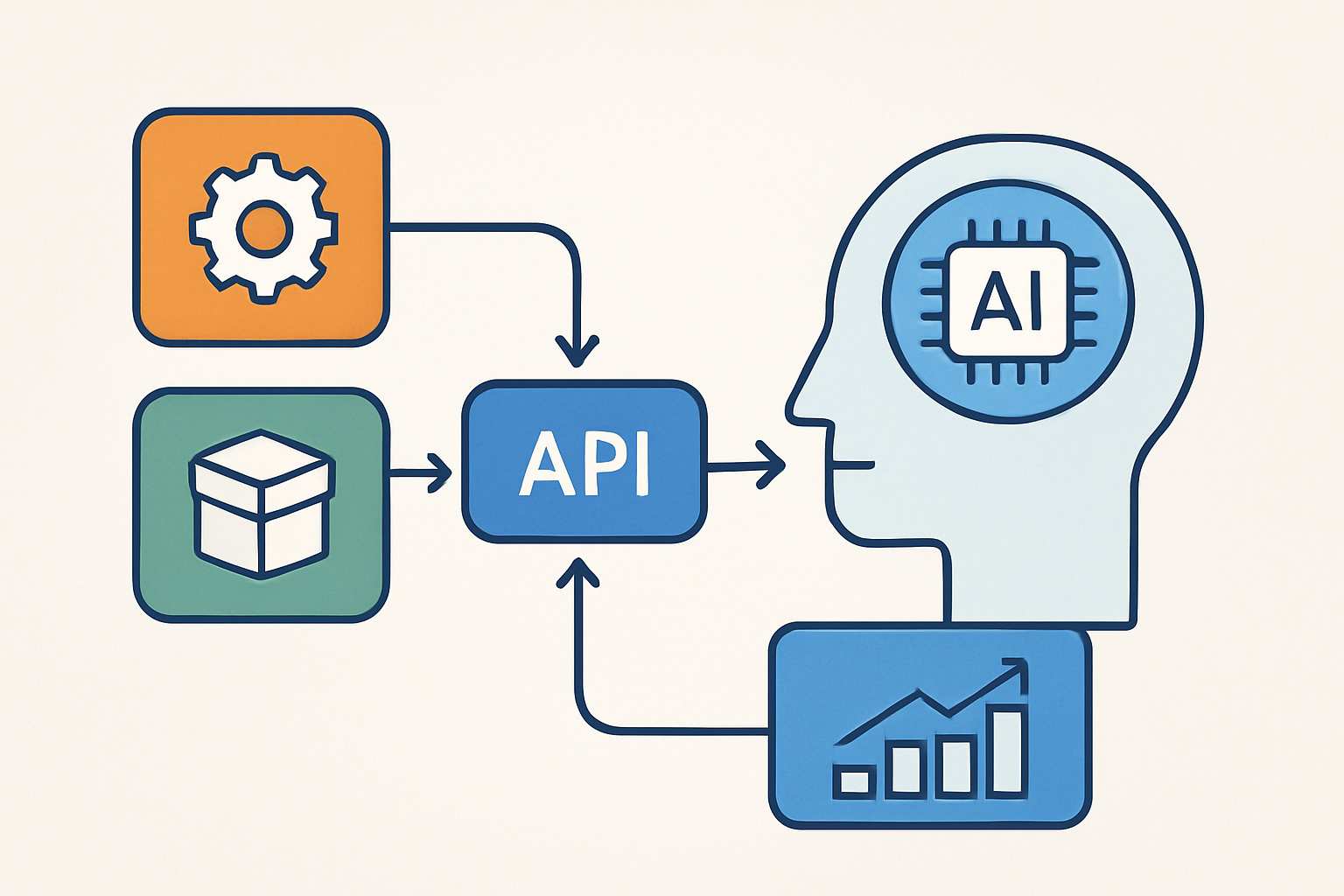
Integrating AI production manager assistants with your ERP system (e.g., SAP, Oracle, Microsoft Dynamics, Odoo) enables seamless production tracking, better shop floor management, and smarter, data-driven decisions across your operations.
AI Automation Checklist for Manufacturing Managers
Modern manufacturing AI tools open up new levels of automation for production teams. Here are core tasks you can streamline using AI assistants and ERP or MES integrations:
- Monitor production plan execution and flag deviations in real time. Stay ahead of bottlenecks and alert teams to off-schedule events.
- Track material and inventory movements automatically. AI-driven inventory tracking syncs with your ERP, eliminating manual entry and supporting precise reporting.
- Automate shop floor monitoring for downtime and equipment failures. AI production manager assistants trigger instant notifications, minimizing costly delays.
- Generate detailed, real-time KPI dashboards and analytics. Custom AI agents consolidate data for actionable insights on productivity, quality, and compliance.
- Schedule and oversee preventative equipment maintenance. AI-powered maintenance scheduling reduces unplanned downtime and extends asset lifespan.
Explore how an AI assistant for business can boost efficiency on the shop floor. Secure integration of AI-driven automation is now a must-have for manufacturers aiming to maximize ROI and maintain global standards.
Manufacturing AI Tools & Odoo Integration: Use Cases, API, and Best Practices
Unlocking the value of a custom AI assistant in manufacturing requires seamless integration with your ERP system. Odoo’s open REST API offers robust options for automating manufacturing workflows—from real-time data exchange between the AI agent and ERP, to event-driven process automation (like triggering actions when a work order status changes), and advanced analytics for shop floor management.
Typical use cases for manufacturing AI tools include automating inventory control, production scheduling, and quality tracking, all tightly connected to ERP data. To maximize security and maintain compliance (ISO 27001, GDPR), follow integration best practices: use OAuth2 for authorization, maintain audit logs, and validate new features in a sandbox before production rollout.
When building an AI agent for manufacturing, these principles ensure reliable, scalable connections between your AI tools and Odoo, as well as other ERP systems.
Sample Integration Workflow: AI Assistant & Odoo via API
- Identify manufacturing processes in Odoo that will benefit from automation.
- Gather detailed requirements for integration—define system triggers and expected AI assistant responses.
- Set up secure Odoo API access using OAuth2, with permissions limited to required scopes.
- Develop the AI assistant logic to process ERP events and API requests for real-time scenario handling.
- Implement comprehensive event logging and change tracking for compliance.
- Deploy the integration in a sandbox; rigorously test all business-critical use cases.
- Move to live production after passing all tests and stakeholder approval.
Following these steps will streamline Odoo manufacturing automation and enable advanced production tracking with AI, helping your business realize measurable ROI and operational efficiency.
Real-World Impact: How AI Assistants Transform Manufacturing Operations
Integrating a custom AI assistant with your ERP system—whether SAP, Oracle, Microsoft Dynamics, or Odoo—drives measurable improvements across manufacturing operations. For example, a mid-sized manufacturer automated shop floor data collection and transfer into their ERP, reducing manual reporting time by 30% and halving reporting errors. These outcomes are typical when deploying manufacturing AI tools to streamline workflows.
A common hurdle is inconsistent data synchronization, often caused by poorly configured APIs or overlooked business logic. A thorough technical audit before integration ensures the AI solution aligns with both IT infrastructure and operational realities.
Manufacturers leveraging AI assistants for production management or AI assistant for wholesale often see gains in productivity, data accuracy, and real-time decision-making. The table below illustrates the before-and-after impact of deploying an AI production manager assistant.
Table: Key Metrics Before and After AI Assistant Implementation
| Metric | Before Implementation | After Implementation | Change |
|---|---|---|---|
| Time spent on production reporting | 10 hours/week | 7 hours/week | -30% |
| Reporting errors per month | 8-10 | 3-5 | -50% |
| Data timeliness | Daily batch updates | Real-time sync | +Full timeliness |
| Staff required for reporting | 3 employees | 1 employee | -66% |
Manufacturing AI tools are transforming how production managers handle shop floor management, Odoo manufacturing automation, and production tracking. With strict requirements for security, integration, and compliance (ISO, GDPR), these solutions are tailored for the US/EU market.
Step-by-Step Guide: Launching a Custom AI Assistant for Manufacturing
To successfully implement a custom AI assistant for manufacturing, follow this structured approach:
5 Essential Steps to Deploying an AI Assistant
- Business Process Analysis & Use Case Identification
Map out routine operations handled by production managers and supervisors. Identify pain points—such as downtime tracking or production reporting—that are most time-intensive or impact KPIs significantly. Prioritize automation targets based on potential ROI and productivity gains.
- Defining Technical Requirements & Technology Selection
Develop a technical specification describing the desired AI assistant’s features, integration points with your ERP system, and required security standards (ISO 27001, GDPR). Choose a robust tech stack for custom AI development—Python, FastAPI, and microservices are well-suited for scalable SaaS architectures.
- Integrating with ERP via API
Connect the AI agent to your ERP’s REST API for real-time data exchange. Ensure proper access control (OAuth2), audit logging, and full compliance with data governance policies.
- Pilot Testing
Deploy the AI assistant on a selected production line or department. Track key metrics: accuracy of task execution, response times, and the reliability of real-time analytics. Use feedback loops to fine-tune algorithms and user experience.
- MVP Rollout & Scaling
Launch the minimum viable product (MVP) within 6–8 weeks. After validating performance in the pilot phase, incrementally onboard additional production areas and expand AI assistant capabilities based on user feedback and evolving business needs.
> Example: A manufacturing AI assistant that automates production tracking and inventory reconciliation can deliver measurable ROI by reducing manual data entry, minimizing errors, and improving shop floor visibility across multiple plants.
Measurable Impact and Security: How AI Assistants Drive Manufacturing Efficiency
Deploying a custom AI assistant for manufacturing—whether for production tracking, shop floor management, or ERP automation—should deliver measurable results. Define clear KPIs tailored to your business: report generation time, error rates, administrative overhead, and real-time production visibility. For example, if your team used to spend three hours compiling reports and now, with automated manufacturing AI tools, it takes only 20 minutes, the value is clear.
To evaluate ROI, compare the total reduction in labor costs and time savings against the initial investment in AI implementation. Enterprises in the US and EU typically expect these metrics to translate directly into improved productivity, cost control, and compliance.
Security is non-negotiable. Any SaaS or custom AI agent must use robust encryption, both in transit and at rest, alongside granular, role-based access controls. Integration with ERP systems requires strict adherence to protocols like OAuth2 and REST API security best practices. Regular automated backups and disaster recovery plans mitigate data loss risks, helping you maintain ISO 27001 and GDPR compliance.
Scalability and long-term support are critical. Leading providers guarantee this through detailed SLA agreements, continuous feature updates, and 24/7 support. These measures ensure your AI-powered production management system can adapt as your operation grows, without compromising reliability or performance.
Key Takeaways in Under a Minute
- Integrating a custom AI assistant with your ERP system (Odoo, SAP, Oracle, or Microsoft Dynamics) empowers manufacturing managers to automate shop floor tasks—inventory monitoring, KPI tracking, production reporting, and real-time exception alerts.
- Successful implementation requires: clearly documented business processes, secure API access management (using OAuth2), thorough scenario testing in a sandbox, and robust change auditing.
- Benchmark performance using measurable KPIs: reduced time spent on production tracking, fewer reporting errors, and faster, data-driven decision-making.
- Always follow security best practices: implement modern authentication standards, ensure comprehensive logging, and regularly verify data integrity in line with ISO 27001 and GDPR.
Deploying an AI assistant for manufacturing—whether for Odoo automation or cross-ERP integration—unlocks new levels of process optimization, cost reduction, and compliance. If you’re looking to streamline production tracking with AI or modernize your shop floor management, partner with experienced professionals for end-to-end support in rolling out manufacturing AI tools.
Frequently Asked Questions
What are the main benefits of integrating an AI assistant with Odoo for production managers?
Integrating an AI assistant with Odoo helps production managers automate routine tasks, improve real-time monitoring, and streamline data entry. This leads to increased efficiency, faster decision-making, and reduced human error in manufacturing operations.
How does an AI assistant help with risk management in manufacturing?
An AI assistant aids risk management by continuously analyzing production data, flagging deviations, and predicting potential bottlenecks. This proactive approach allows managers to address issues early, minimizing downtime and reducing costly disruptions on the shop floor.
Can an AI assistant be customized for specific manufacturing business processes?
Yes, AI assistants can be tailored to fit unique manufacturing workflows and business processes. They can be configured to automate specific tasks, integrate with custom Odoo modules, and adapt to the unique needs of different production environments.
What security considerations should be addressed when integrating an AI assistant with Odoo?
When integrating an AI assistant with Odoo, it’s essential to ensure secure API access, data encryption, and proper user authentication. Regular security audits and compliance with industry standards help protect sensitive manufacturing and business data.
What common mistakes occur when implementing an AI assistant in manufacturing?
Common mistakes include unclear business process documentation, insufficient staff training, neglecting data security, and underestimating integration complexity. Addressing these issues early ensures a smooth and successful AI assistant deployment in manufacturing.